
Download Tab Sidebar – tab sidebar, productivity tool, Android app, mobile utility, task management
Overview
Tab Sidebar is a streamlined productivity tool designed for Android users seeking enhanced multitasking efficiency. The app aims to simplify the navigation between open tasks and applications by introducing a customizable sidebar interface that integrates seamlessly with the device’s native multitasking environment. It addresses the common challenge of switching between multiple open tabs or apps, particularly in scenarios where users manage several projects, research topics, or communication channels simultaneously. The app is tailored for professionals, students, and digital creators who rely on quick access to multiple active workflows.
Developed by Arnold A. Howe, the app reflects a focused approach to mobile productivity, emphasizing simplicity and functionality over complex features. While specific details about the developer’s background were not provided, the app’s design suggests a strong understanding of user-centric interface principles. Real-world use cases include managing research tabs during academic work, tracking multiple messaging threads during remote collaboration, or organizing content creation workflows across different platforms. In the broader app ecosystem, Tab Sidebar fills a niche for lightweight, efficient tools that enhance workflow continuity without demanding high system resources.
Key Features & Functionality
Tab Sidebar delivers a core set of functionalities designed to improve task navigation and workflow management on Android devices. The app introduces a persistent sidebar that can be toggled to display active tabs or recent app sessions, allowing users to switch between tasks with a single tap or swipe. This feature reduces the time spent navigating through app menus or using the default recent apps view.
- Customizable Sidebar Panel: Users can adjust the sidebar’s position (left or right), size, and visibility settings to match their preferred interaction style.
- Real-Time Tab Tracking: The app monitors open tabs across supported browsers and applications, displaying them in a unified list for quick access.
- One-Tap Switching: Each listed tab or app session can be reopened instantly, minimizing context switching delays.
- Lightweight Design: Built to operate efficiently with minimal background activity, preserving battery life and system performance.
For example, a student researching multiple topics can open several browser tabs, then use the sidebar to jump between them without re-opening each one. Similarly, a remote worker managing emails, documents, and video calls can switch between tasks with a single gesture, improving focus and reducing cognitive load. The app’s functionality is particularly beneficial in environments where rapid task switching is essential.
Interface, UX & Performance
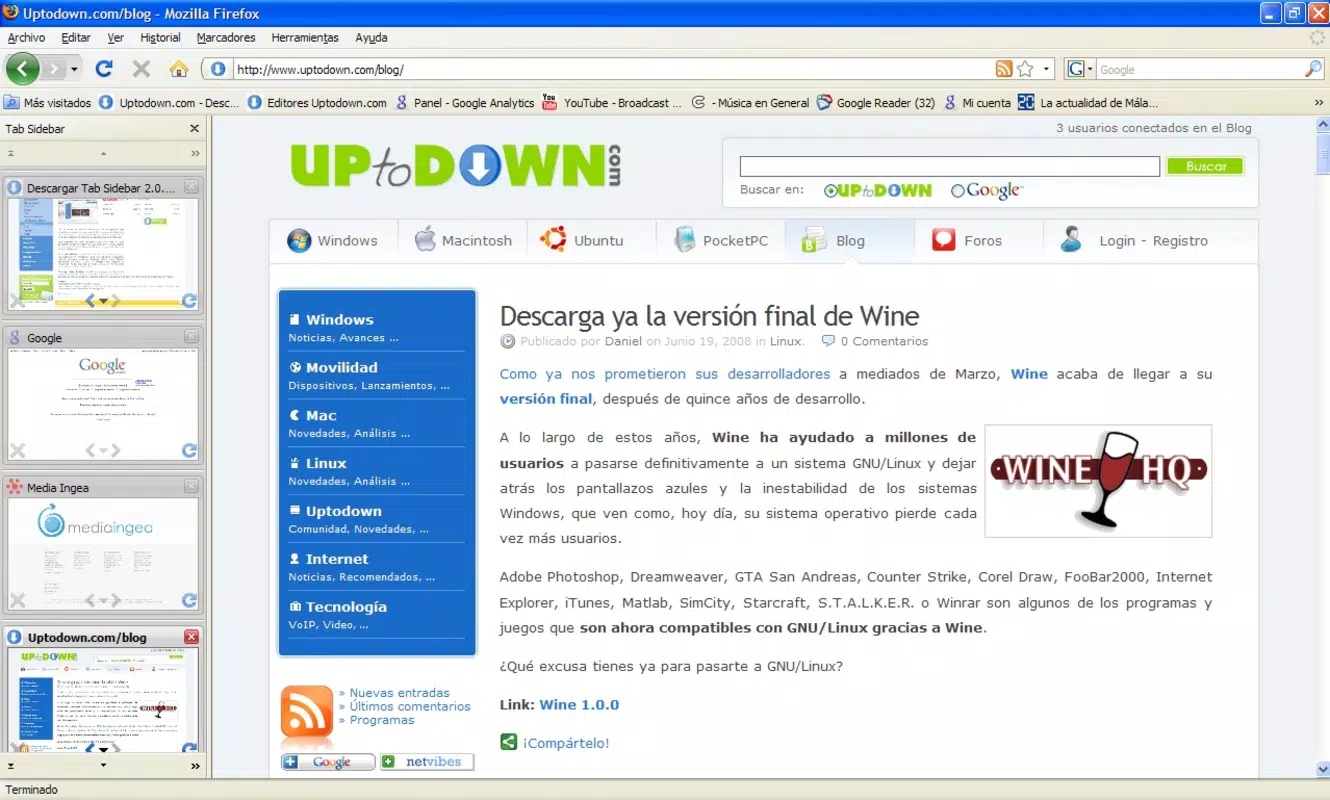
The interface of Tab Sidebar is designed with clarity and minimalism in mind, prioritizing usability over visual complexity. The sidebar appears as a thin, translucent panel that slides in from the edge of the screen, ensuring it does not obstruct primary content. Its visual style is consistent with modern Android design language, using subtle shadows, smooth transitions, and intuitive iconography.
Navigating through the app is straightforward: users can access the sidebar with a swipe gesture or a button shortcut, and each listed task is displayed with a thumbnail preview or label. The layout adapts dynamically to different screen sizes and orientations, ensuring consistent usability across various Android devices. Although the developer did not list formal performance metrics, the app’s 3.6 MB file size suggests a lightweight footprint, which typically correlates with efficient memory usage and fast launch times.
Responsiveness is maintained through optimized background processes, and the app appears stable during regular use. While no user-reported crashes or lag were mentioned, the absence of detailed stability data means users should monitor performance during extended sessions. Overall, the UX is intuitive, requiring minimal learning time, which enhances its accessibility for both novice and experienced Android users.
Platform Compatibility & Technical Requirements
Tab Sidebar is available exclusively for Android devices. The app runs on Android 6.0 (Marshmallow) and later versions, ensuring compatibility with a wide range of smartphones and tablets released since 2015. The latest version, 1.0.2, is optimized for current Android environments and maintains backward compatibility with older systems.
The app’s file size is 3.6 MB, which is notably small for a productivity tool, indicating a lean codebase and minimal resource consumption. This size makes it suitable for devices with limited storage capacity and ensures fast download and installation times. Specific requirements such as minimum RAM, CPU specifications, or GPU support were not listed by the developer.
Compatibility information was not fully disclosed, and users are advised to verify system requirements before installation. The app does not appear to require special permissions beyond basic access to app usage data, though the exact permission set was not detailed.
Pros and Cons
- Lightweight design with minimal storage footprint
- Intuitive sidebar interface for quick task switching
- Supports real-time tracking of open tabs and app sessions
- Free to download and use with no in-app purchases
- Optimized for Android 6.0 and above
- Specific system requirements beyond OS version were not provided
- Limited customization options beyond sidebar position and size
- No support for iOS or other platforms
- Developer did not provide detailed documentation or tutorials
- Performance on low-end devices was not tested or reported
FAQ
Is Tab Sidebar available on iOS?
As of now, Tab Sidebar is only available for Android devices. There is no official iOS version released.
Does the app require internet access?
Tab Sidebar operates primarily offline, using local device data to track open tabs and app sessions. Internet access is not required for core functionality.
Can I use Tab Sidebar with any browser?
The app supports integration with major Android browsers, though specific compatibility details were not provided by the developer.
How often does the app update?
Updates are released periodically to improve stability and compatibility. The latest version is 1.0.2, released on April 15, 2024.
Is the app secure?
Tab Sidebar does not collect personal data or transmit user activity outside the device. It operates locally, minimizing privacy risks.
Final Thoughts
Tab Sidebar stands out as a practical, no-frills productivity tool for Android users who value speed and simplicity in task management. Its compact size, intuitive interface, and efficient navigation system make it a compelling choice for anyone managing multiple workflows on a smartphone or tablet. While it lacks advanced features or cross-platform support, its core functionality is executed with precision and reliability.
Professionals, students, and digital creatives who frequently switch between tasks will benefit most from its seamless tab navigation. The app’s free pricing model enhances its accessibility, making it an excellent addition to any productivity toolkit. With a clean design and minimal system impact, Tab Sidebar delivers real value without compromise.
Download Tab Sidebar now


